Free, open-source code

Open-source ESP32 projects

Browse the current OpenGizmo builds and jump into the project pages for hardware details, setup flow, and what each gadget is actually for.

Projects
5
Browser flashing
5
Open-source code
100%
Open-source ESP32 + MAX7219 project

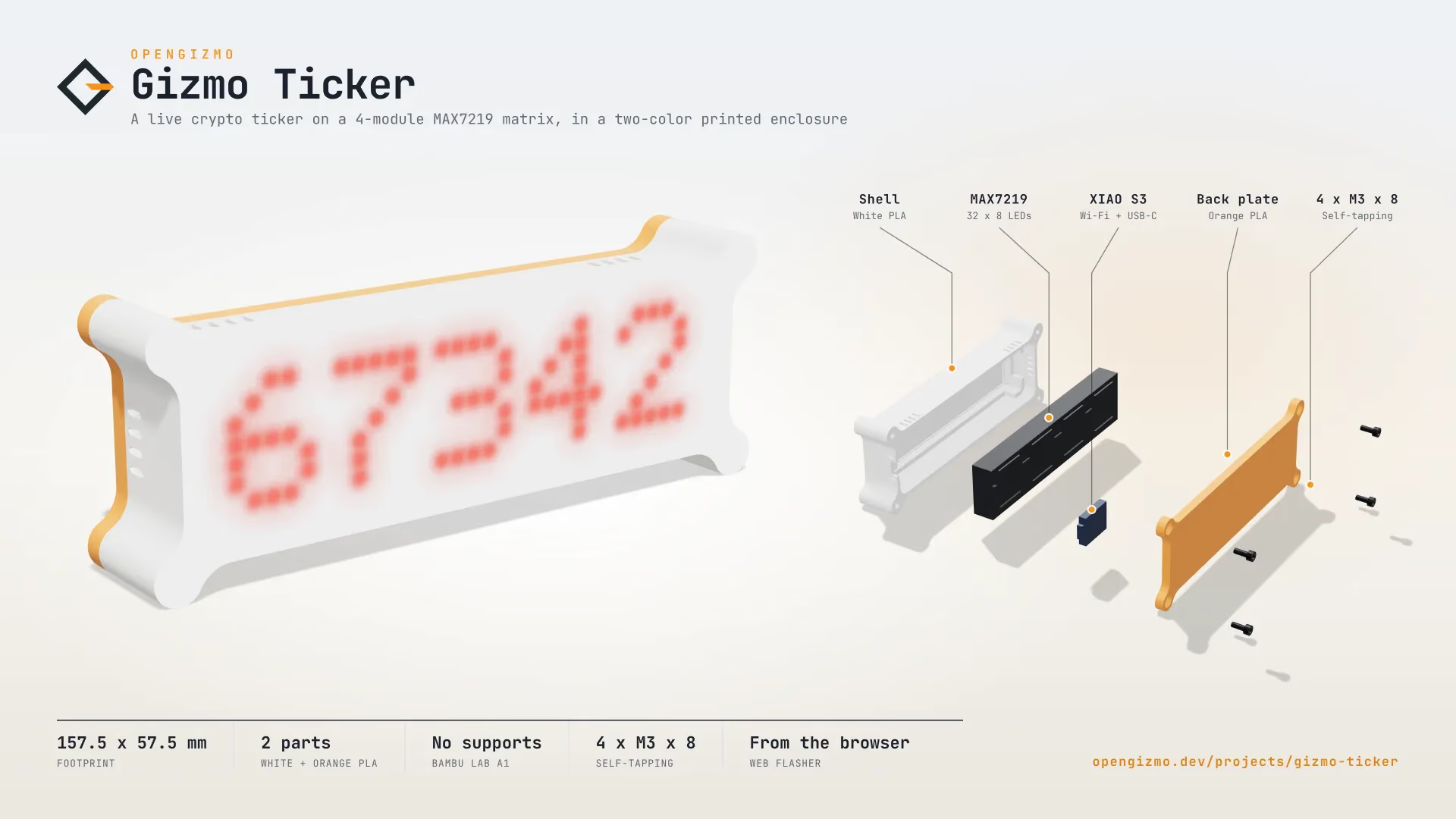
Gizmo Ticker

A Wi-Fi-connected crypto display built with an ESP32, a MAX7219 LED matrix, and a Nuxt 4 web app for browser-based setup and configuration.

  • Live crypto ticker
  • MAX7219 LED matrix
  • Web-based setup
Open-source ESP32 + Reolink project

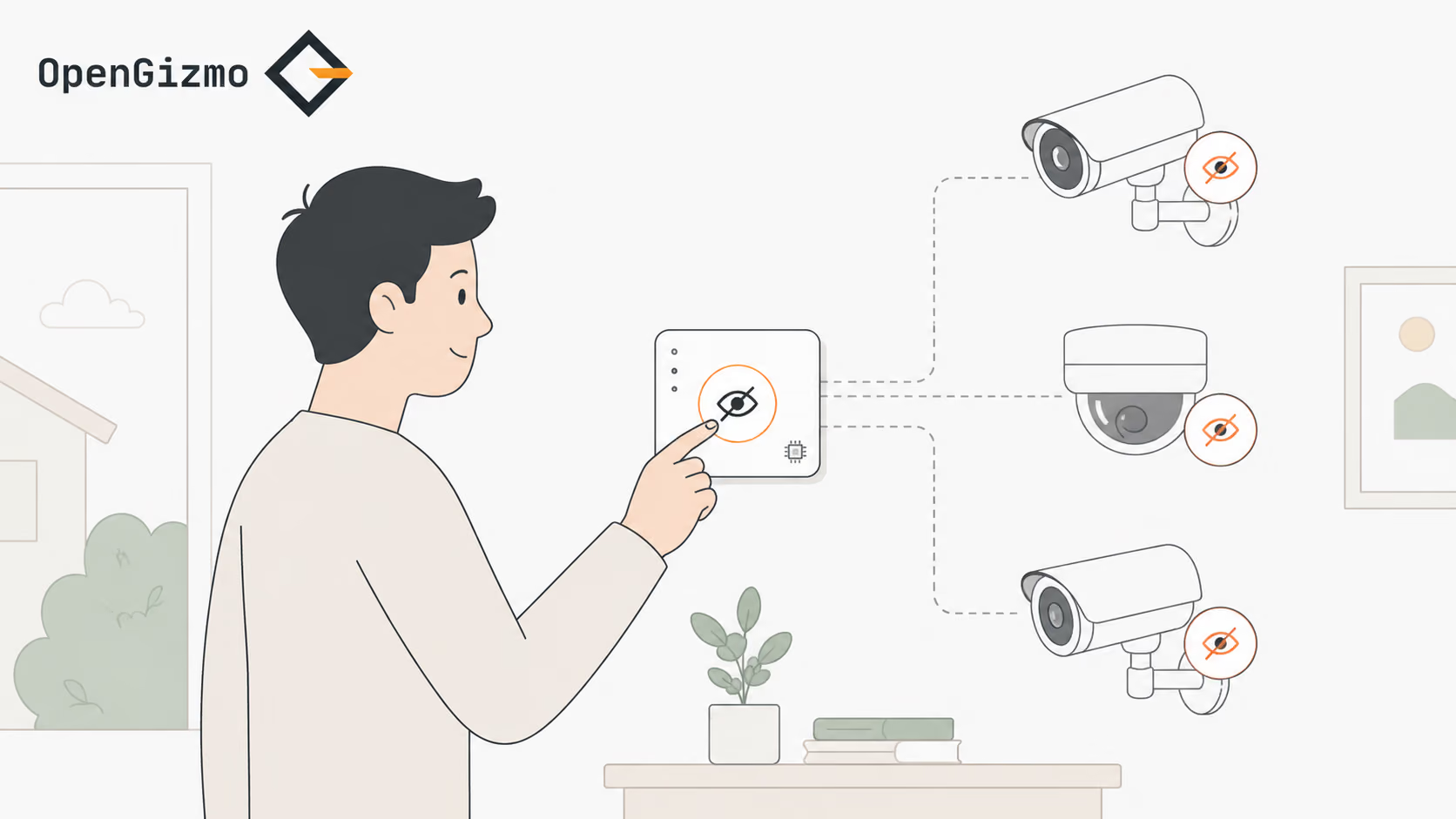
Gizmo Reolink Switch

An ESP32-powered quiet-exit switch that uses a button, buzzer, 16x2 I2C LCD, and Wi-Fi connection to temporarily mute Reolink NVR notifications and recording.

  • Quiet-exit timer
  • 16x2 LCD interface
  • Direct Reolink API control
Open-source ESP32-CAM project

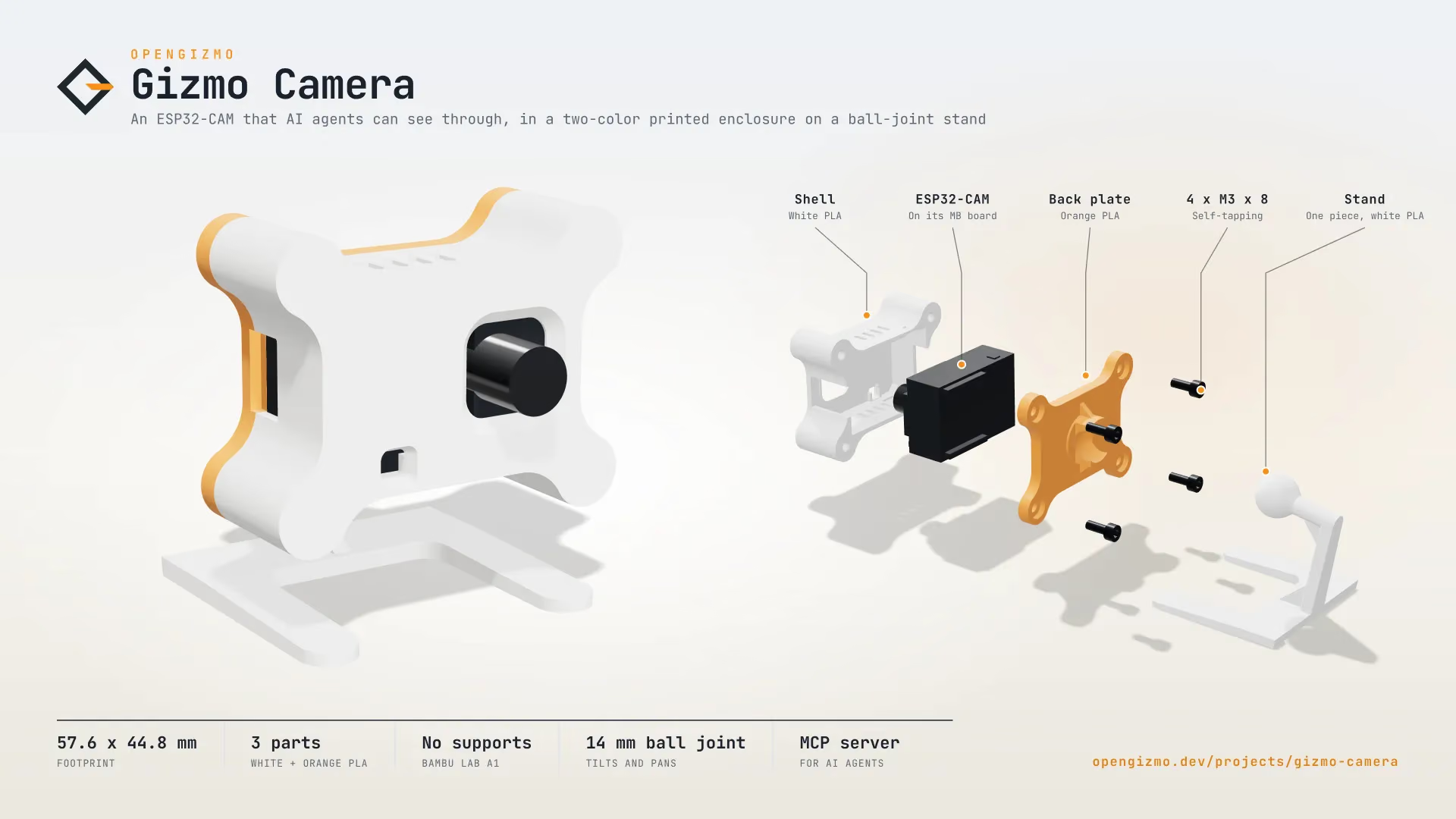
Gizmo Camera

An ESP32-CAM Wi-Fi camera that takes a JPEG snapshot on every request, with a web app to set it up from your phone and an MCP server for AI agents.

  • JPEG snapshots up to 1600 × 1200
  • Simple HTTP API
  • MCP server for AI agents
Open-source ESP32-S3 + GC9A01 project

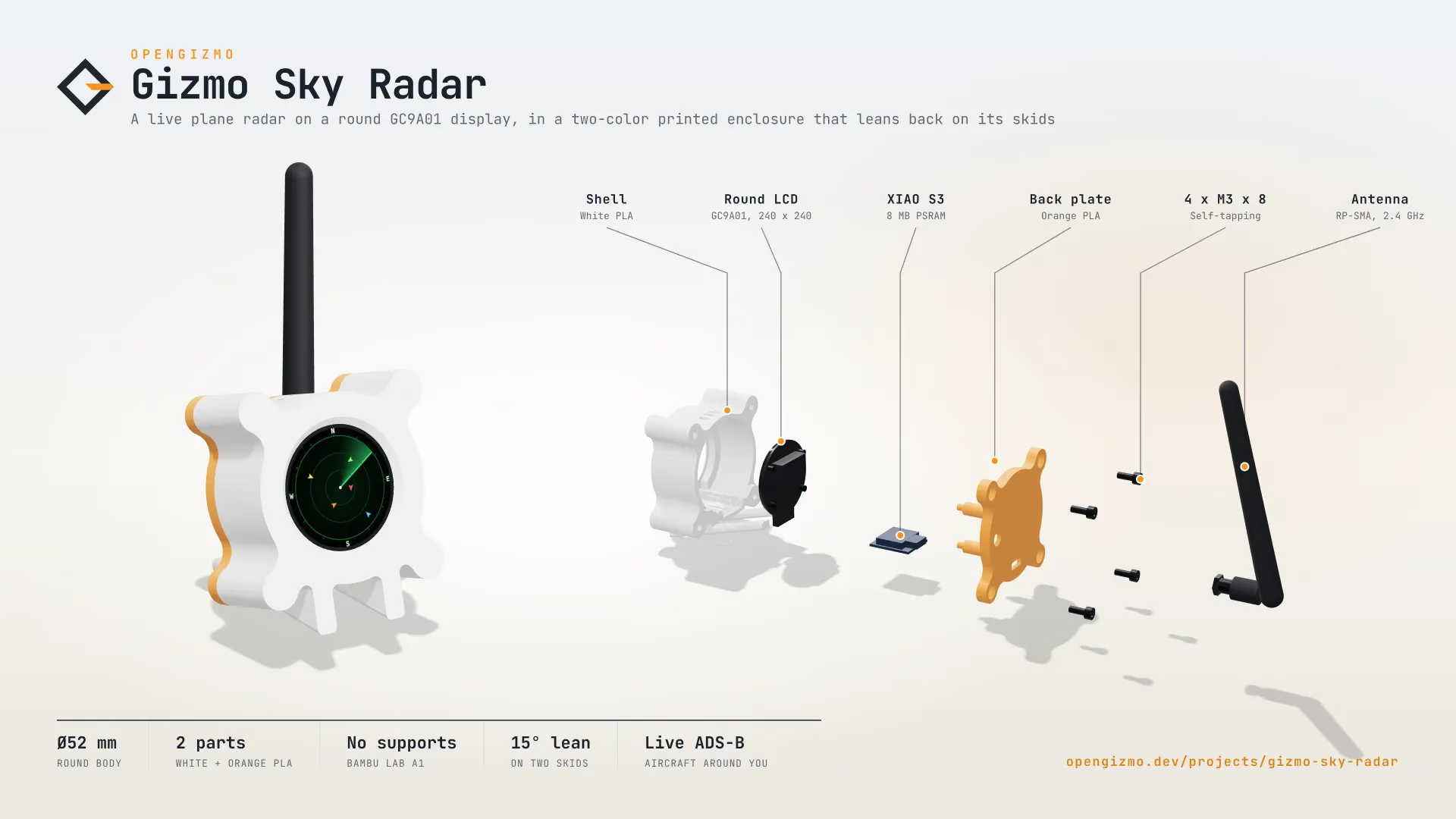
Gizmo Sky Radar

A live plane radar for your desk, on an ESP32-S3 and a round display, showing the aircraft around you with a web app to set it up from your phone.

  • Live aircraft around you
  • Round display at 25 frames a second
  • Web app and HTTP API
Open-source ESP32-CAM project

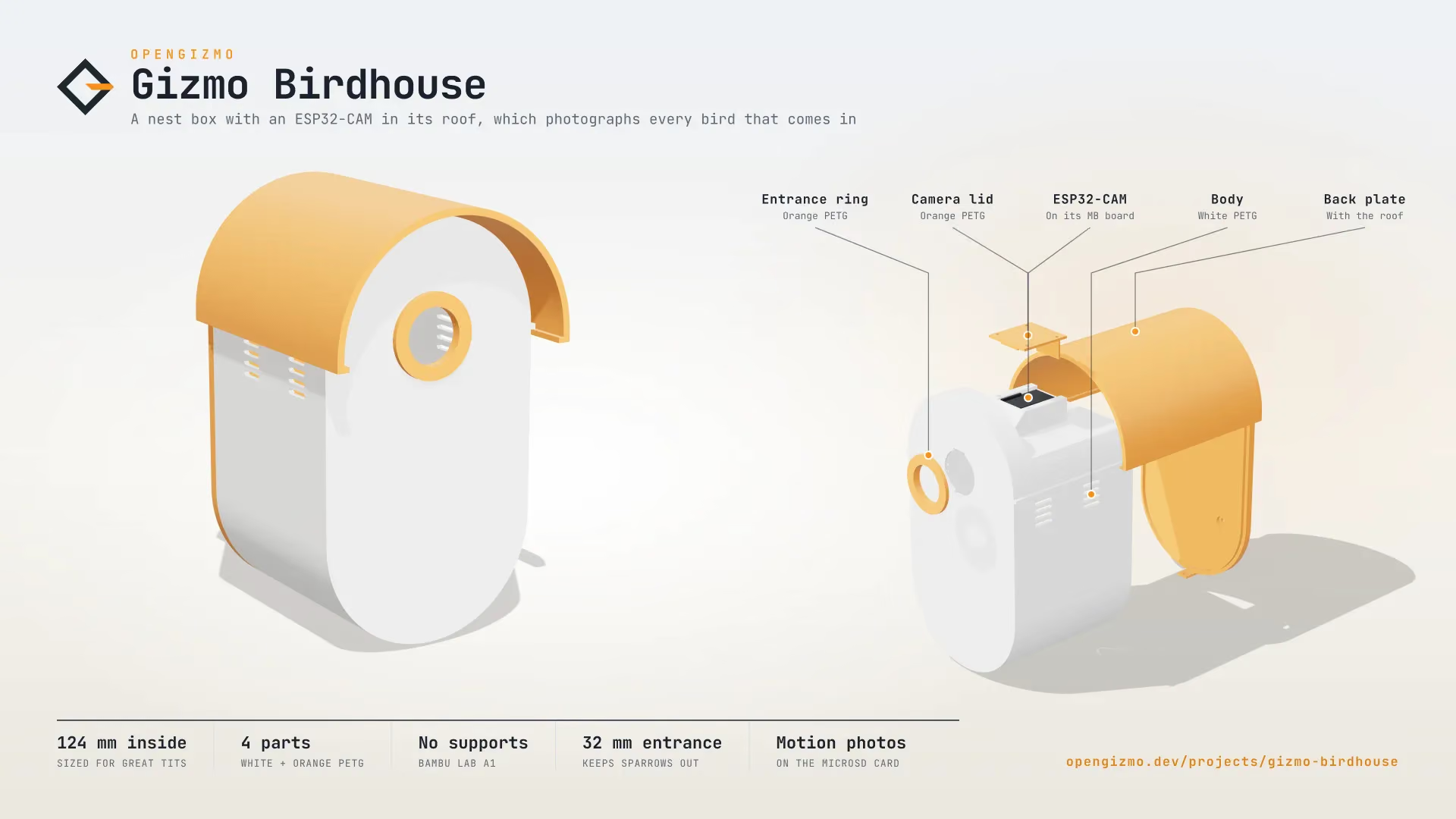
Gizmo Birdhouse

A 3D-printed nest box with an ESP32-CAM in its roof that photographs every bird coming in, saves the visits on a microSD card and shows them on your phone.

  • A photo of every visit
  • No sensor to wire
  • Visits saved on a microSD card

What every build includes

Each project page has everything you need to build the gadget yourself, from the parts list to the first boot.

01

Hardware and specs

The board, the parts, and a quick snapshot of how the device is put together, so you know what to buy before you start.

02

Step-by-step setup

A setup flow you can follow one step at a time, with the commands to copy and paste where they are needed.

03

Open firmware

The full source code on GitHub, and a prebuilt firmware you can flash straight from the browser when the project has one.

04

Answers and context

An overview of how the build works and a FAQ with the practical questions that come up while you build it.